Store › TradingView Indicators › VWMA Flux Band Pro
About this product
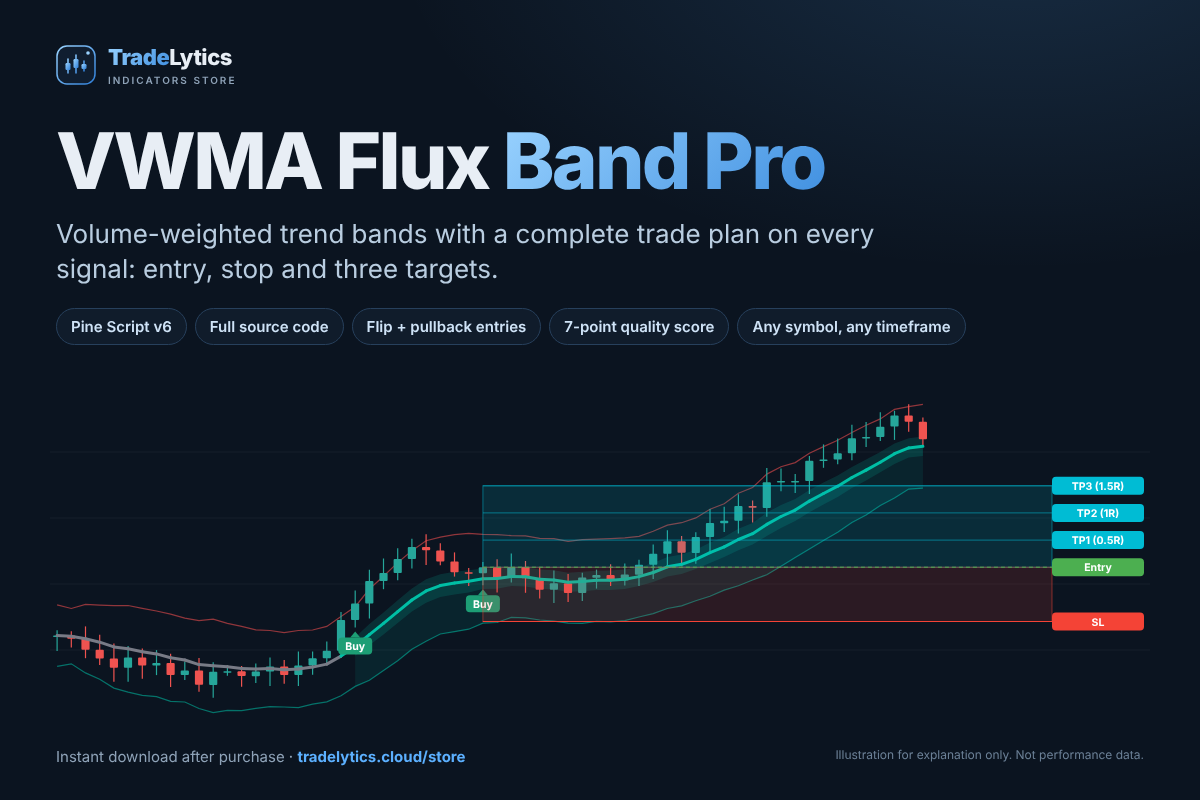
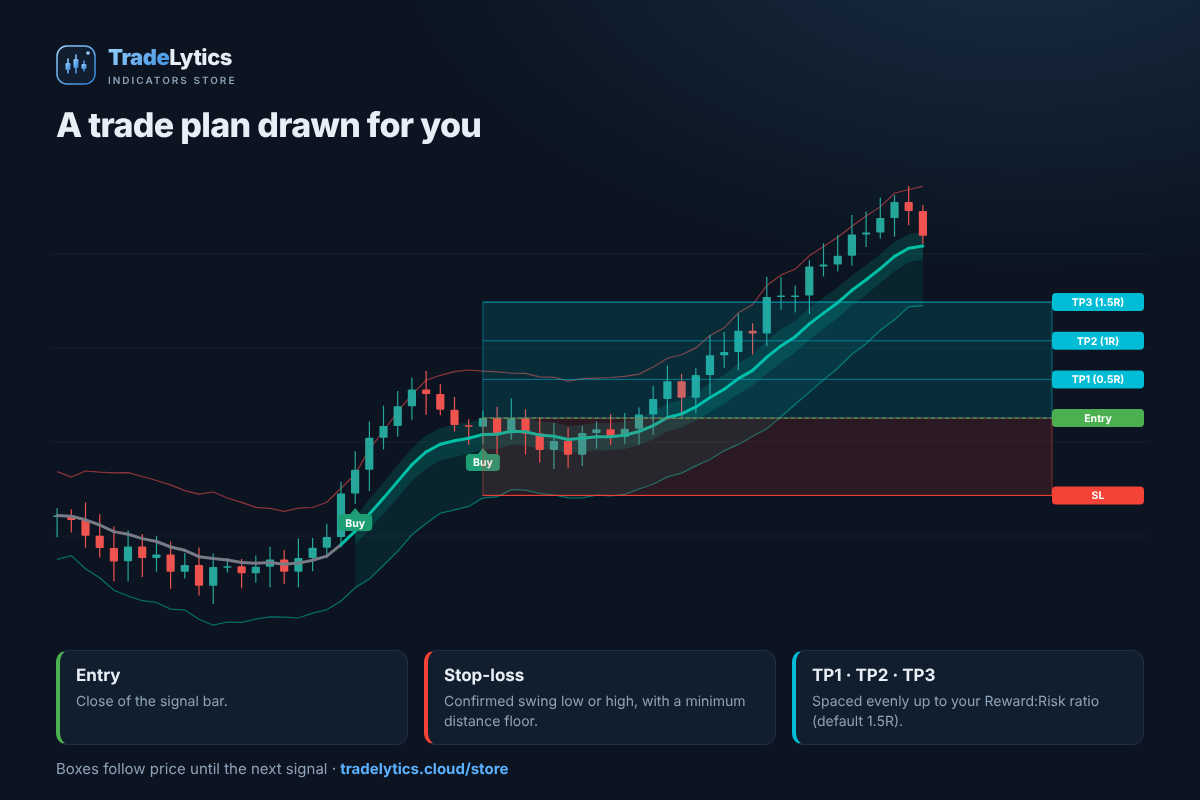
VWMA Flux Band Pro turns a volume-weighted moving average and adaptive ATR bands into a complete trade plan on your TradingView chart. When a signal fires you see the entry, a structural stop-loss and up to three targets already drawn, with alerts for every step. You receive the full Pine Script v6 source code and a 10-page illustrated user guide.
What it does
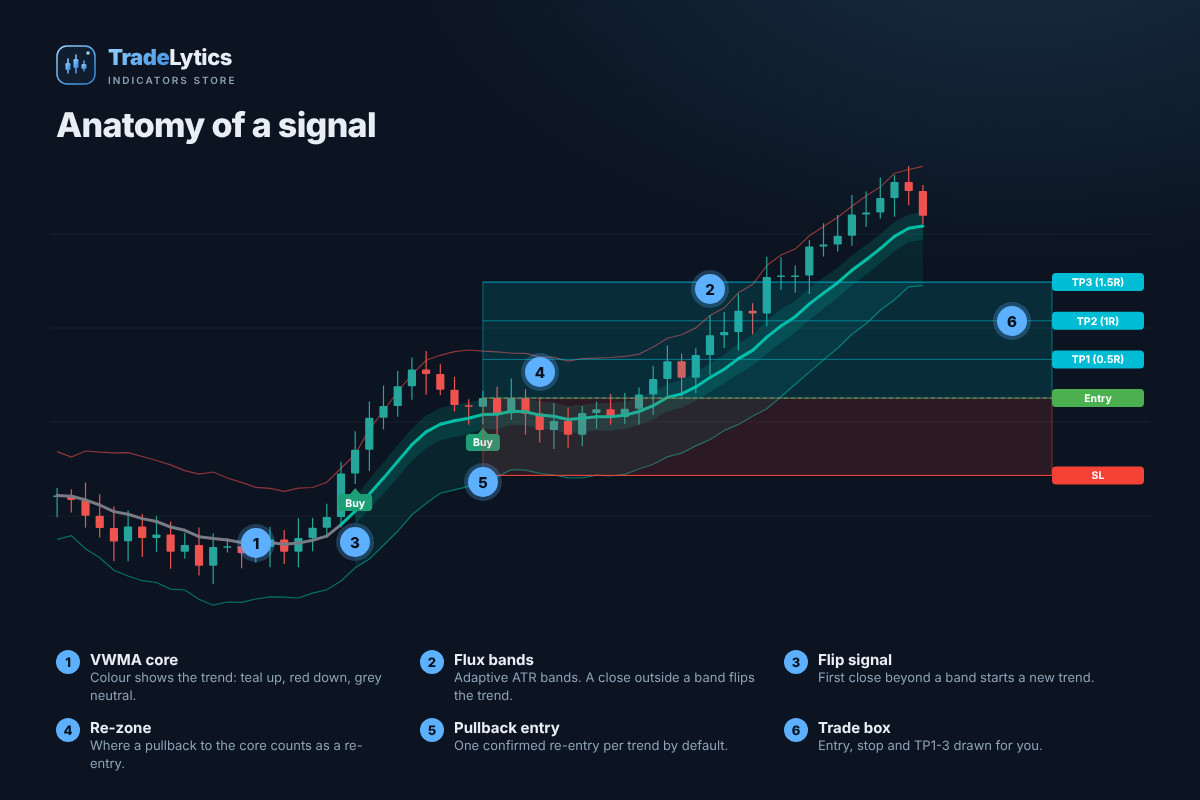
- Trend flip signals. A close beyond an adaptive flux band flips the trend and colours the VWMA core, so direction is clear at a glance.
- Pullback re-entries. After a flip, a confirmed return to the re-zone near the core marks one re-entry per trend (adjustable).
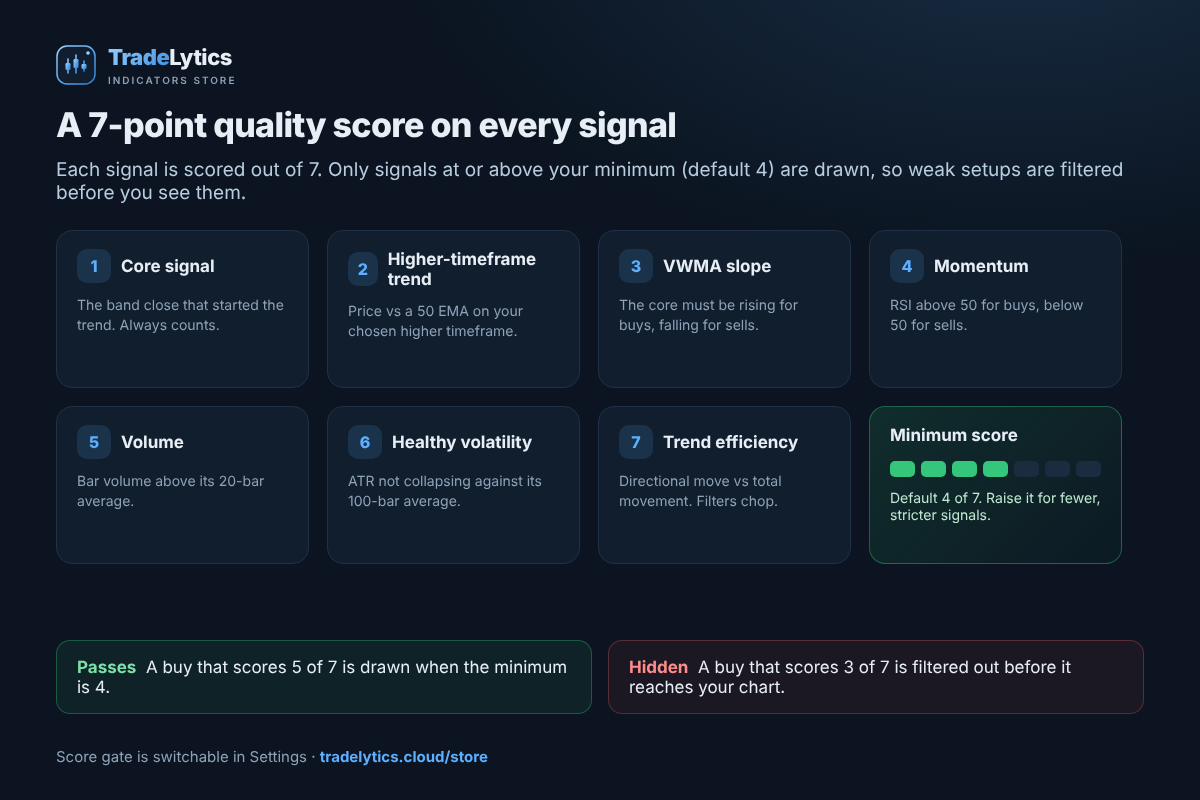
- 7-point quality score. Higher-timeframe trend, VWMA slope, momentum, volume, volatility and trend efficiency are scored on every signal. Set your own minimum and weak setups never reach the chart.
- Trade box. Entry, swing-based stop and TP1 to TP3 spaced to your Reward:Risk ratio, tracked bar by bar until the next signal.
- Context tools. Supply and demand zones, auto Fibonacci levels and Area of Interest boxes.
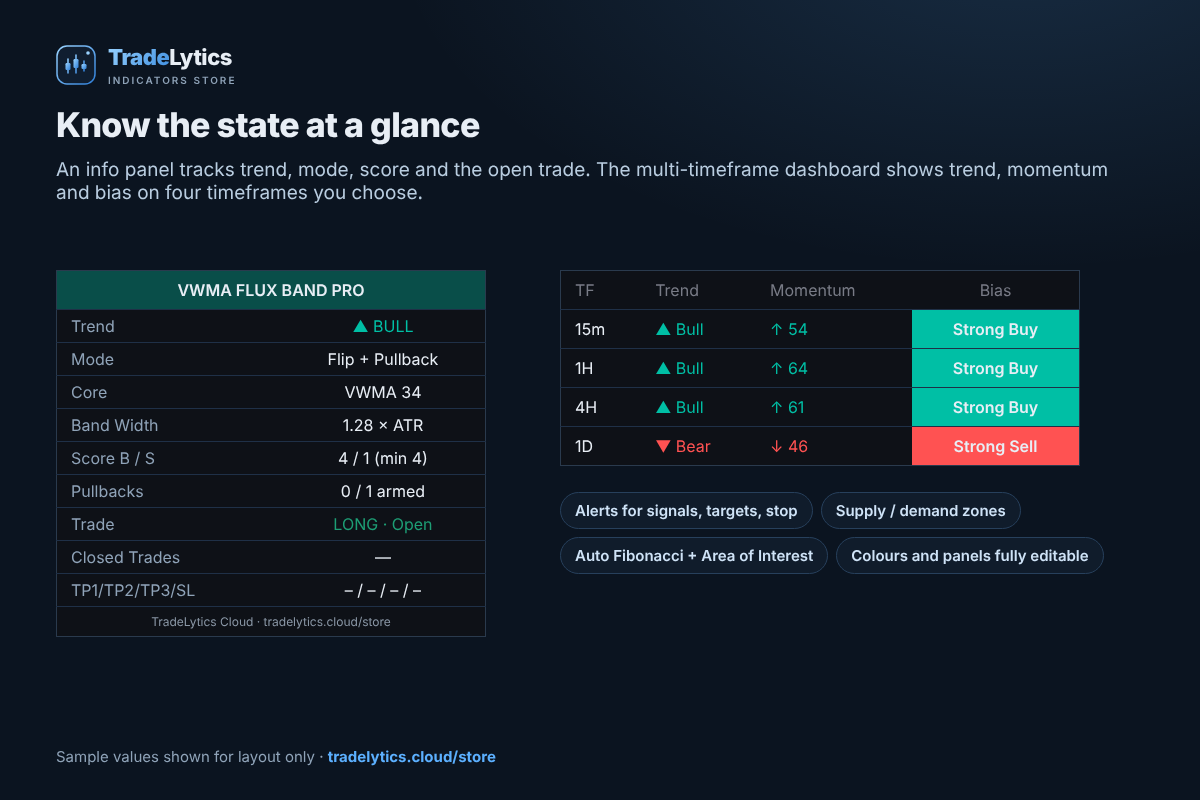
- Panels and alerts. An info panel, a four-timeframe dashboard, and detailed alerts for signals, targets and stops.
What you get
- Full Pine Script v6 source code (.pine), ready to paste into the TradingView Pine Editor
- 10-page illustrated PDF user guide: install, reading signals, every setting, alerts and troubleshooting
- Licence and quick-start README
- Instant download after payment is confirmed, re-downloadable from your dashboard
Built for real charts
- Works on any symbol and timeframe. Symbols without volume fall back to an EMA core automatically.
- Signals are evaluated on bar close, so a signal you see does not move or disappear afterwards.
- Every colour, panel and feature can be switched on or off, and every option has a tooltip.
- A TradingView account is all you need. The free plan works but limits how many indicators fit on one chart.
Frequently asked questions
Do I get the source code?
Yes. You receive the complete, readable Pine Script v6 file for personal use on your own TradingView account. Resale, sharing and publishing are not permitted by the licence.
How do I install it?
Copy the code into the TradingView Pine Editor, click Save, then Add to chart. It takes about two minutes and the guide walks through every step.
Does it repaint?
Signals are only evaluated when a bar closes, and the higher-timeframe trend in the score reads the previous closed bar. The live higher-timeframe rows of the dashboard can update until that bar closes, which the guide explains.
Can I use it on forex, stocks, futures and crypto?
Yes. It runs on any chart. Behaviour differs between instruments and timeframes, so test your settings in Bar Replay first.
Is there a performance guarantee?
No. This is an educational charting tool, not financial advice. Trading carries a high level of risk and no profit is guaranteed.
Want an automated approach?
See AurumWave Gold, our gold Expert Advisor for MetaTrader 5. Try the free demo, then rent it monthly. More tools are in the TradeLytics Store.
What you get
- VWMA-Flux-Band-Pro-v1.3.pine: full Pine Script v6 source code
- 10-page illustrated PDF user guide, licence and README
- Re-download any time from your dashboard
Installation (about 2 minutes)
- Unzip your download and open the .pine file in any text editor. Select all and copy.
- In TradingView, open a chart, then the Pine Editor at the bottom.
- Delete the sample code and paste. The first line must be //@version=6.
- Click Save, name it VWMA Flux Band Pro, then click Add to chart.
- Open the gear icon to adjust settings. The defaults are the recommended start.
- Create alerts: Alert, choose the indicator, then Any alert() function call.
Your licence is for personal use on your own TradingView account. Please do not share or publish the code.
Prefer it automated? Try the free demo of our gold EA and rent it monthly at tradelytics.cloud/ea. More indicators: tradelytics.cloud/store.
What's new
v1.3 2026-10-10
First release.